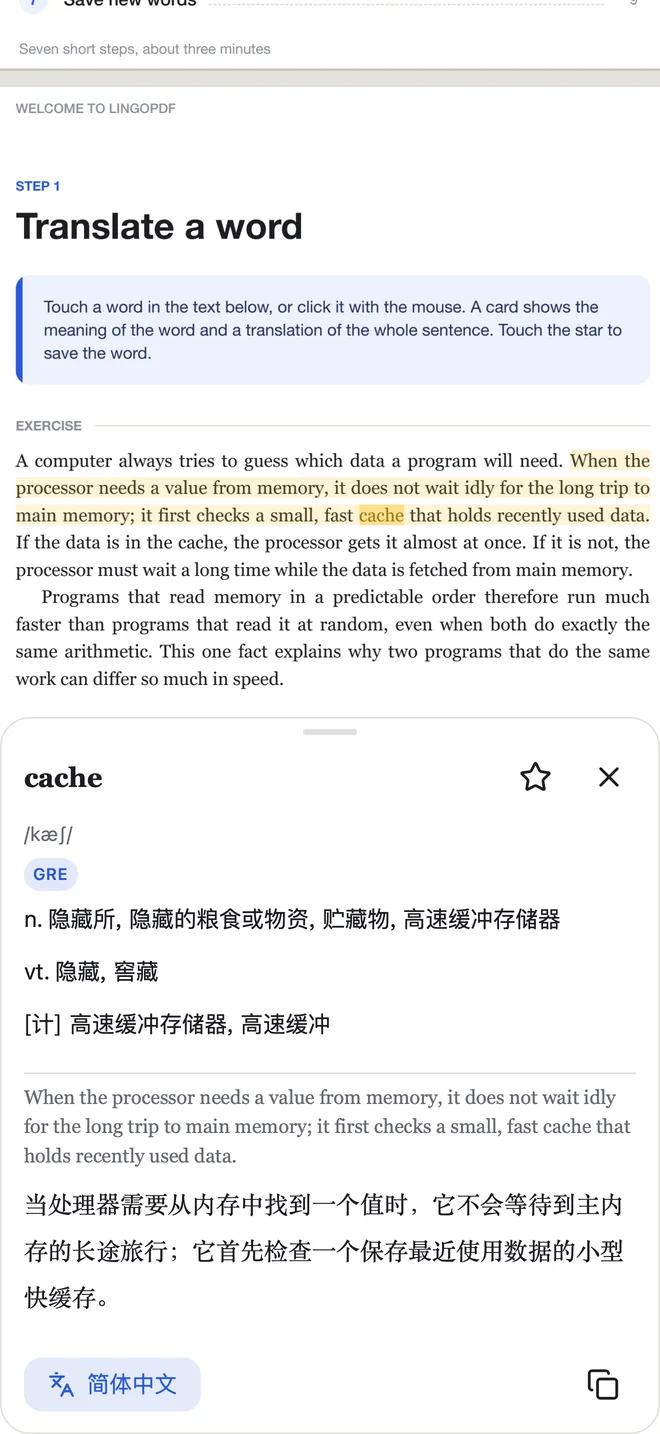
Tap a word
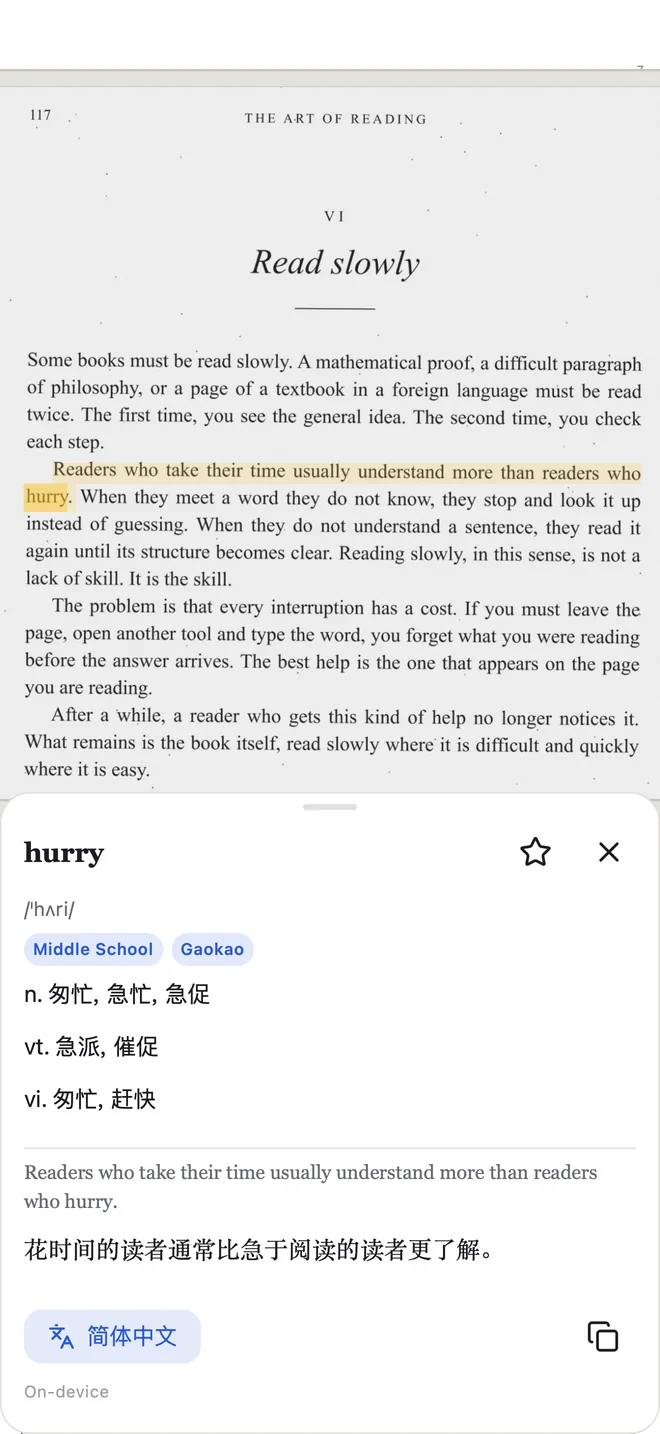
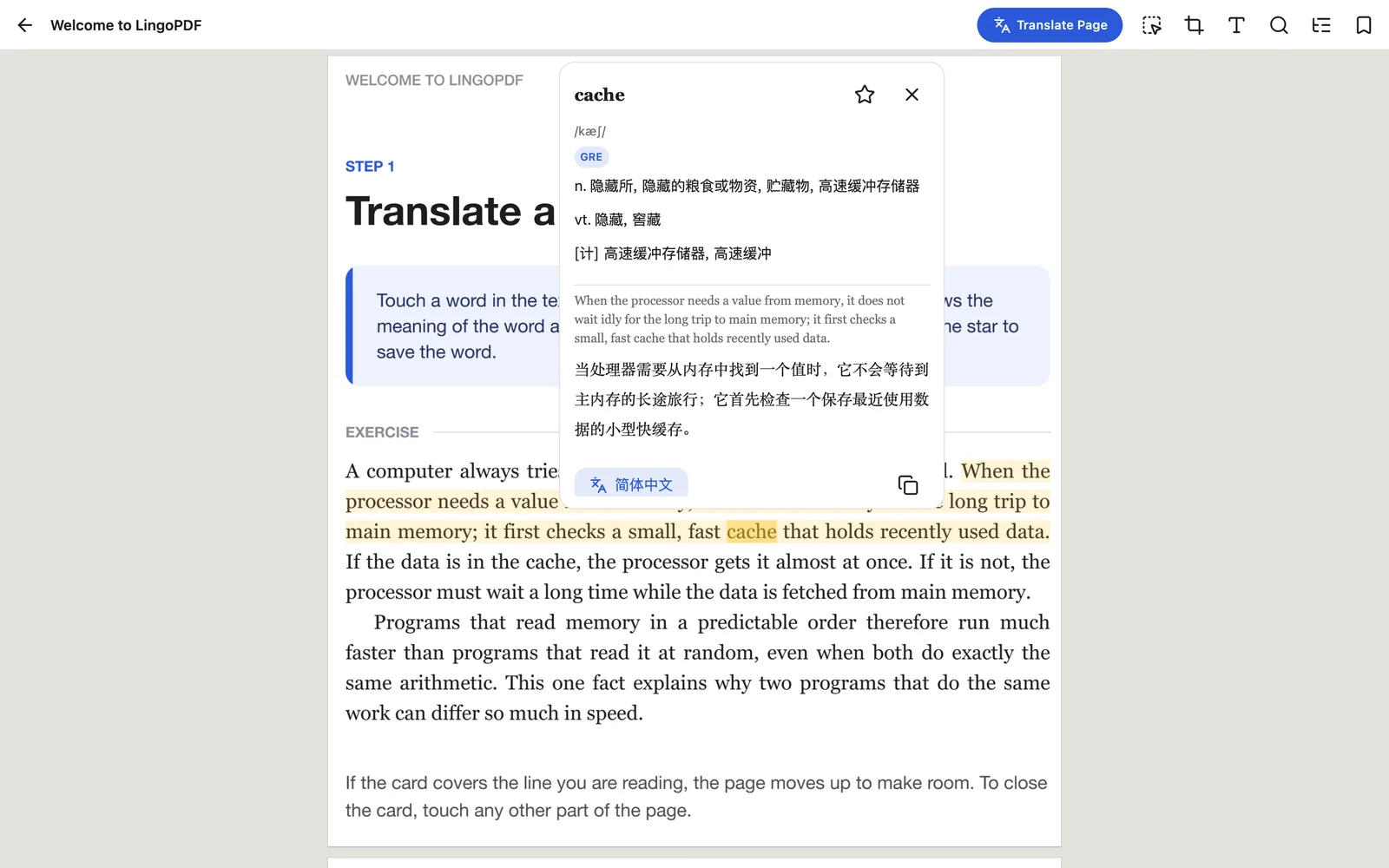
An English word comes with a dictionary entry, phonetics and exam tags; a Chinese word with its pinyin and its meaning in English; both with the whole sentence translated. In quick mode, just a short meaning right beside the word.
iPhone · iPad · Mac · Android
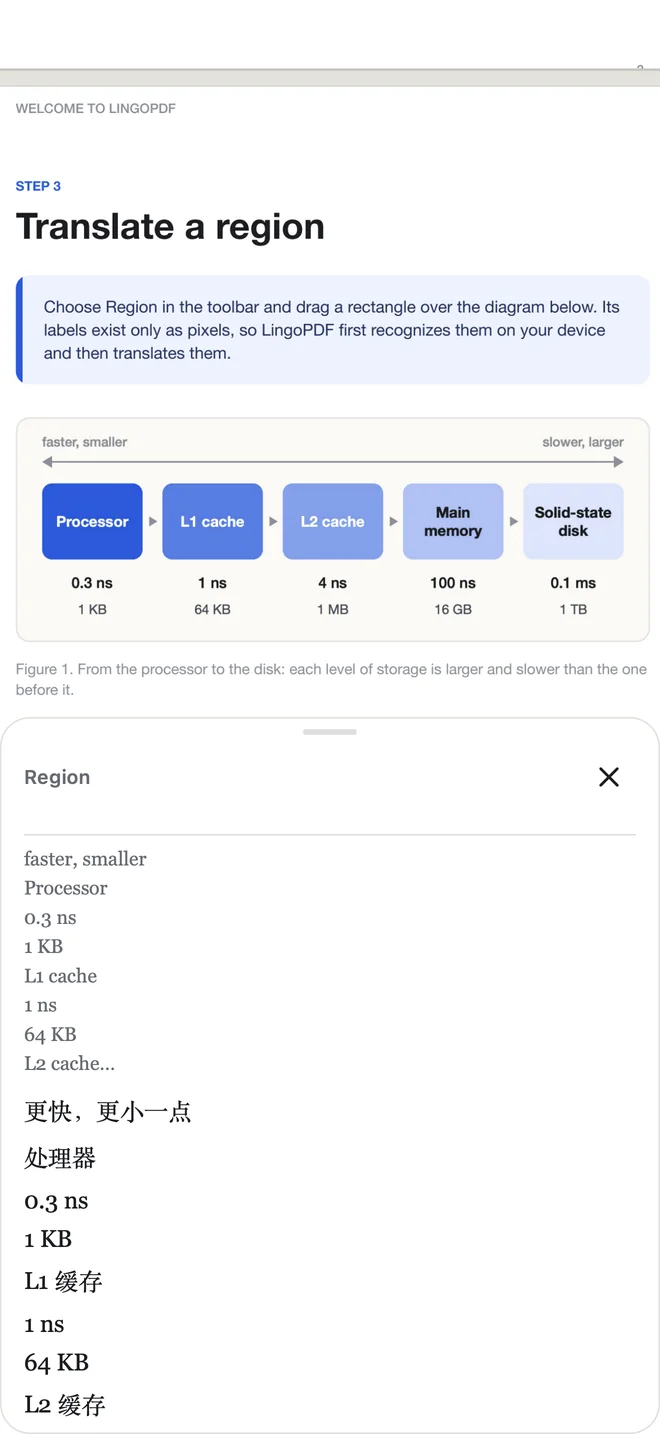
The translation appears right beside the line you are reading: a word, a sentence, a diagram or a whole page, even in scanned books. Between English and Chinese, entirely on your device.
Free to download. Pro is a one-time purchase, not a subscription.
No copying, no switching to another app. The translation comes to the text.
An English word comes with a dictionary entry, phonetics and exam tags; a Chinese word with its pinyin and its meaning in English; both with the whole sentence translated. In quick mode, just a short meaning right beside the word.
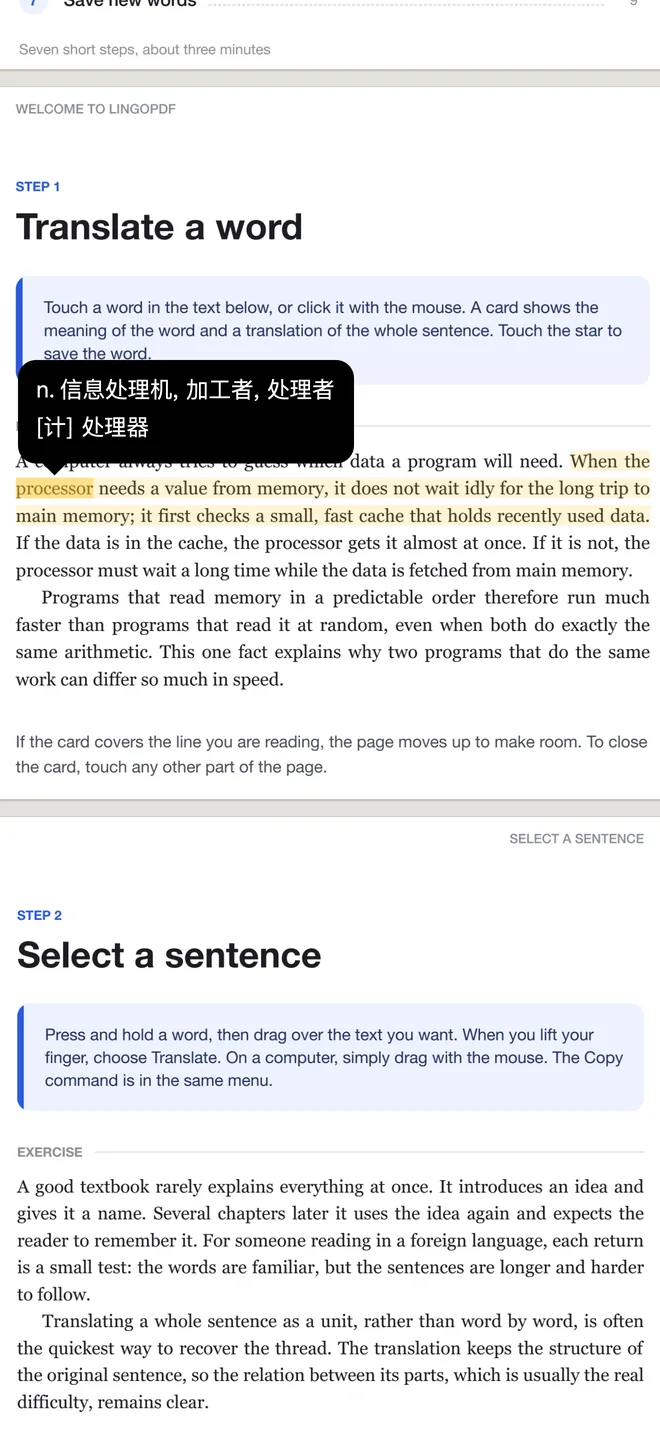
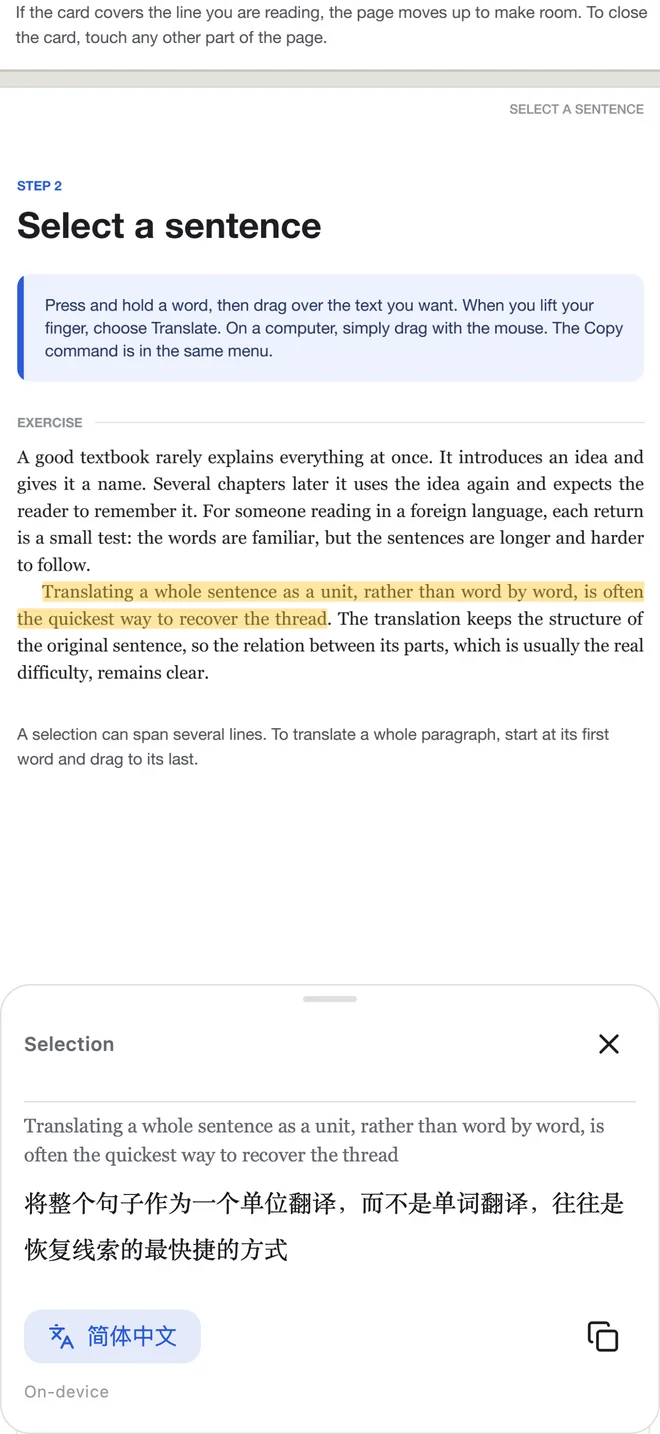
Long-press and drag across a sentence or a paragraph. Drag a box over a diagram or a photo to translate the text inside it.
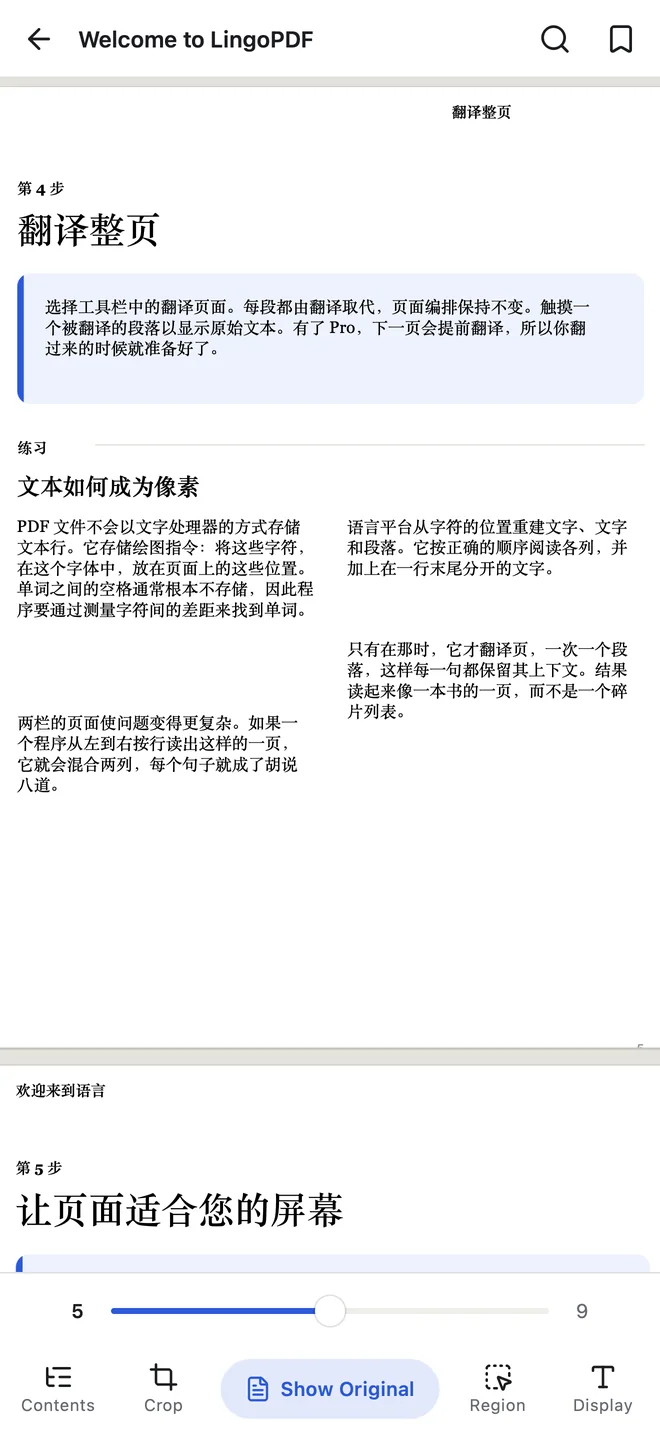
Every paragraph is replaced by its translation in place, so the layout stays. Tap a paragraph to see the original again.
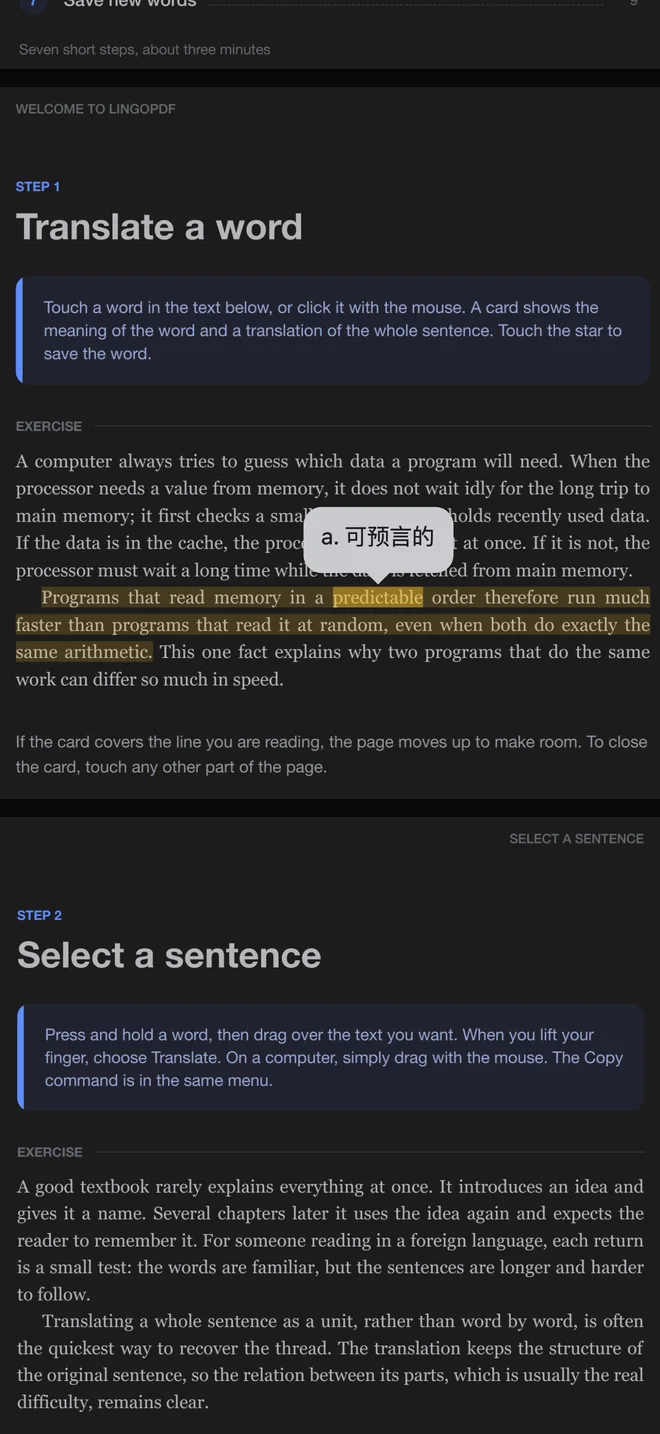
Quick mode shows a short translation in a bubble next to the word. Tap the next word and it switches at once; tap the bubble for the full card.
Many classic textbooks exist only as scans. Their text is recognized on your device, so you can tap and translate them like any other page.
Smart cropping trims the empty margins of a whole book at once, odd and even pages separately, so the text fills the width of a small screen.
The dictionaries, translation in both directions and text recognition are part of the app and run on your device. No account, no tracking, no downloads; your books never leave your device.
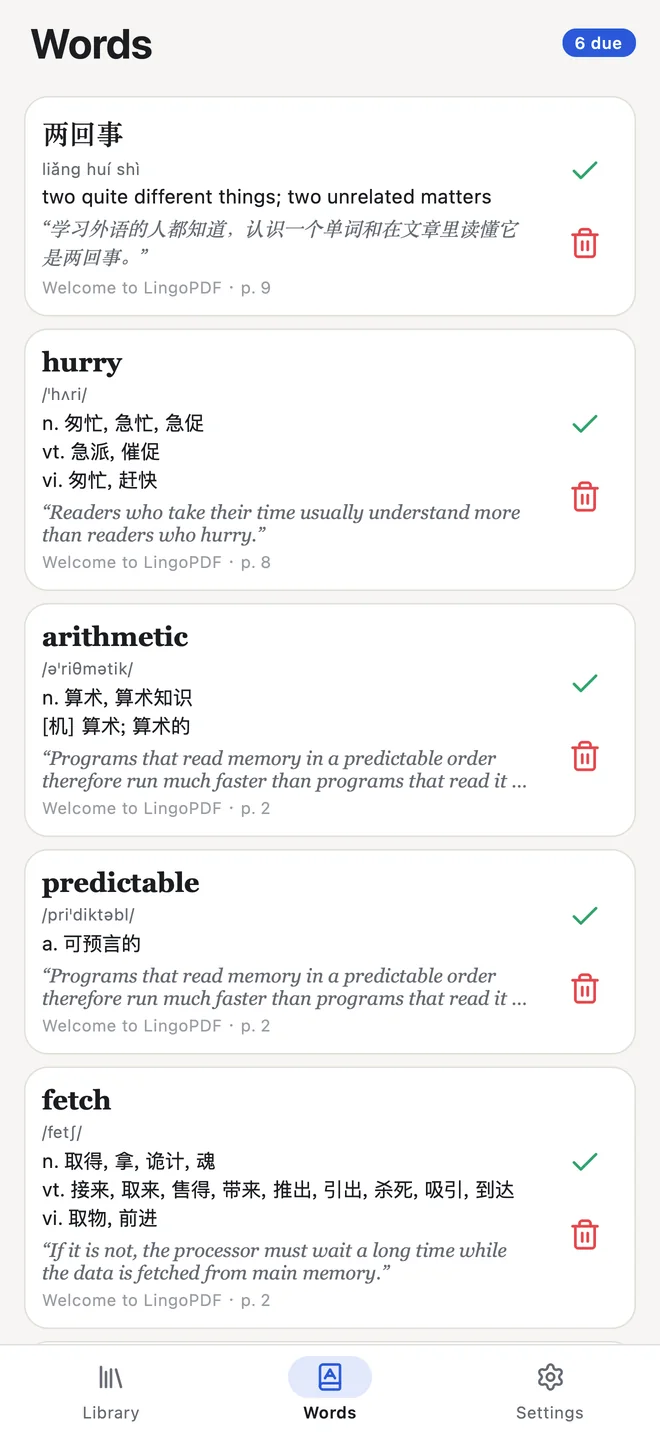
Star a word to save it with the sentence it came from and a link back to its page, then review your words at growing intervals.
Books of thousands of pages scroll smoothly. Scroll, page or two-page layouts, night and sepia modes, search, contents and bookmarks.
US$0
US$9.99 once
No subscription. On the App Store one purchase unlocks iPhone, iPad and Mac.
Questions, ideas or problems? Write to gicpic.com@gmail.com. We read every message.
Yes, completely. The dictionaries, translation between English and Chinese and text recognition are part of the app and run on your device, so you can read on a train or in a library without a connection. Nothing has to be downloaded after you install it.
English into Chinese (Simplified or Traditional) and Chinese into English. The app takes the direction from the text, so there is nothing to set. English words come with a dictionary entry, phonetics and exam tags; Chinese words with their pinyin and their meaning in English. Other languages are not translated.
Yes. A page without a text layer is recognized on your device the first time you open it; after that you can tap words, select sentences and translate the page as usual.
Only on your device. There is no account and no server that receives your documents or the text you translate.
App Store: tap Restore Purchase in Settings on your iPhone, iPad or Mac with the same Apple ID. Google Play: it follows your Google account. APK from this site: Restore Purchase finds it again on the same phone; on a new phone, enter the order number from your Alipay receipt.
No. Pro is a single purchase that never renews.
English, Simplified Chinese and Traditional Chinese.